
DoveRunner Console 1.3.0 Release Notice
1766738739132
What's New - Quick Overview
DoveRunner Console 1.3.0 brings Mobile App Security into the unified DoveRunner platform for better user experience.
Target Release Date: Sunday, December 28, 2025, 22:00 (GMT)
✨ Key Features
Mobile App Security - Now Integrated with DoveRunner Console
All Mobile App Security (formerly AppSealing) features are now available directly in DoveRunner Console:
Analytics & Monitoring
Dashboard with security insights
Real-time threat analytics
Threat Detection
Active device tracking
Android Security
App configuration management
AppSealing protection
Security presets
Historical tracking with CSV export
iOS Security
App configurations
Project management
AiSM (AppSealing in the Middle)
Access key management
Organization Tools
User and group management
Activity audit logs
Service region configuration
Webhook and integration management
Settings
General and Manage services
Changes on Main and Sub Menu
The main menu structure and the location of sub-menu UI are changed as below:
Current UI | New UI |
|---|---|
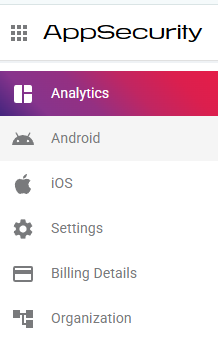 Mobile App Security features in a single-level main menu
| 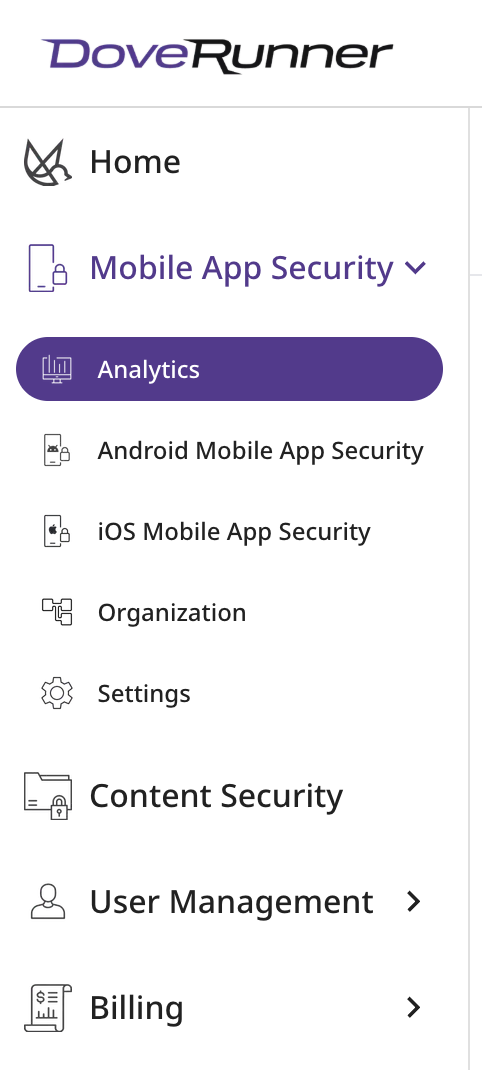 Mobile App Security feature items under the main menu
|
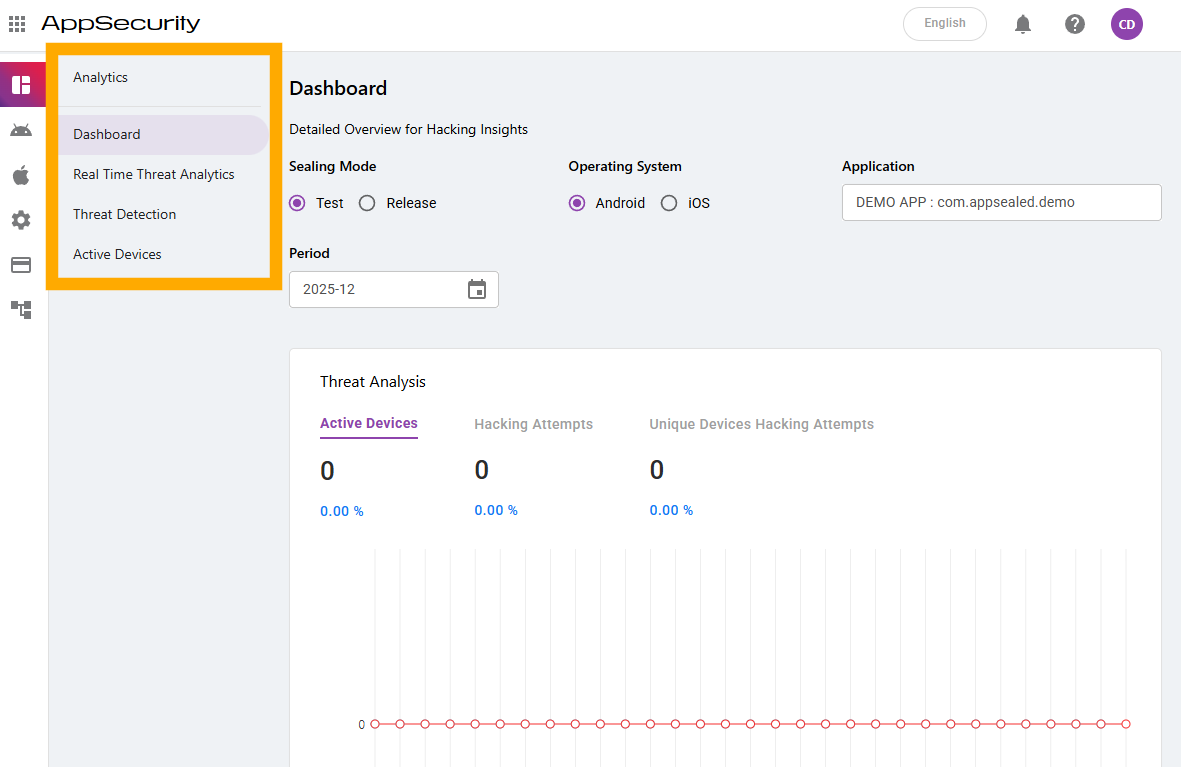 Sub-menus between main menu and content area | 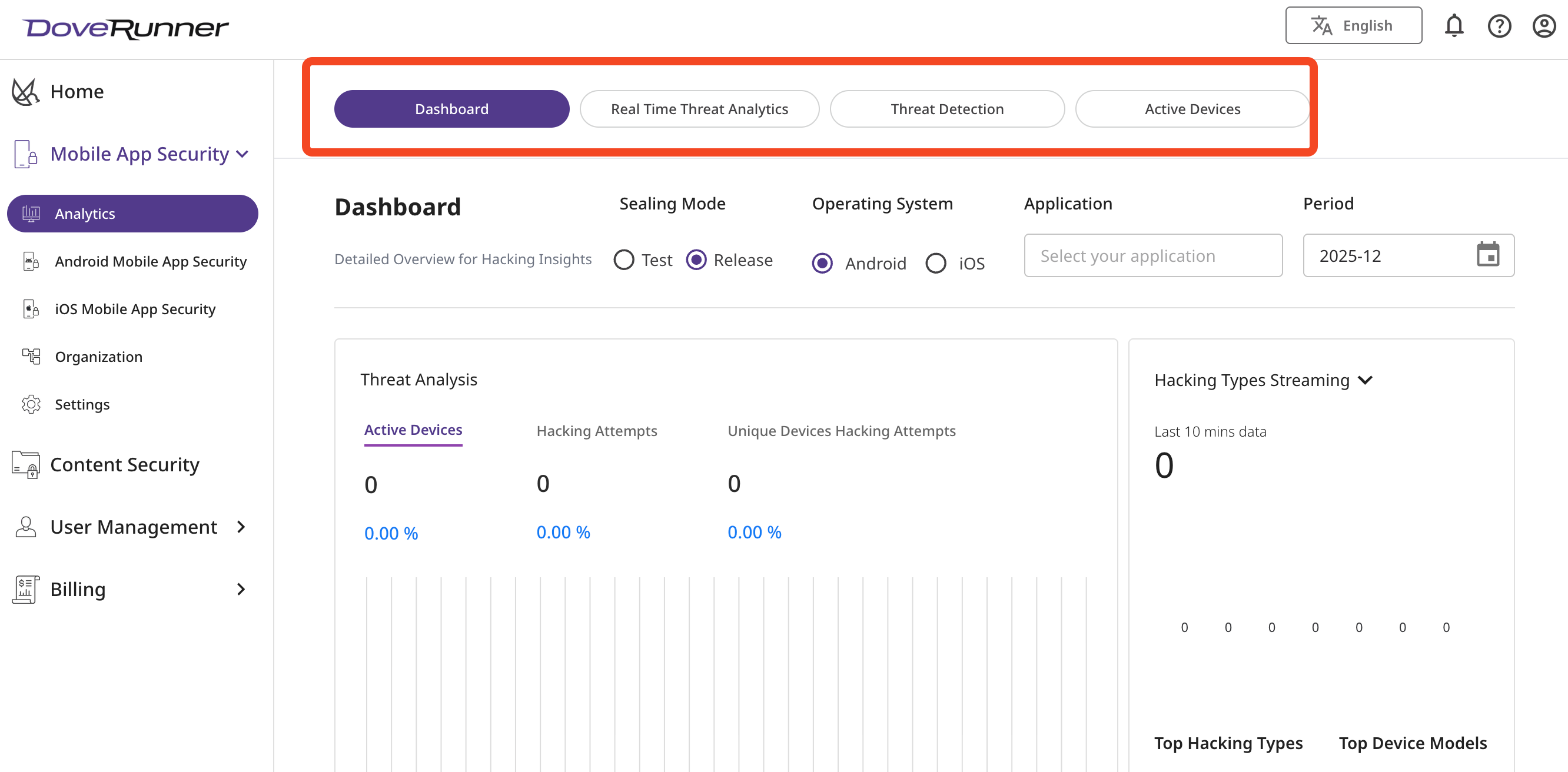 Sub-menus above content area
|
🚀 Getting Started
For Mobile App Security Users
Accessing Your Features:
Login to DoveRunner Console at https://console.doverunner.com
Navigate to "Mobile App Security" in the main menu
All your existing data and configurations are preserved
What Changed:
✅ New unified interface
What Stayed the Same:
✅ Your app configurations
✅ Historical data and analytics
✅ API keys and credentials
✅ User permissions and roles
📋 Important Notes
Legacy Systems
Mobile App Security Console: Can be accessed on DoveRunner Console directly.
If you still want to use the existing mobile app security console after the 1.3.0 release, you can access your profile page via the link in the upper right corner of the unified console and change your settings.
Please note that this alternative option is not a permanent feature. We will provide separate notice before the end of the existing App Security Console service.
Content Security Console: No changes - migration planned for Q1-Q2 2026
Authentication
Existing credentials continue to work
🆘 Need Help?
Support Channel
Common Questions
Q: Will my login credentials change?
A: No, existing credentials work as before.
Q: Do I need to migrate anything?
A: No, all Mobile App Security data has been automatically migrated.
Q: Can I continue to use the existing App Security Console?
A: If you still want to use the legacy console after the 1.3.0 release, you can access it by changing the settings in the profile screen of the unified console (click the profile link in the top right corner). We will send a separate notice before the end of the legacy console service in the future.
Did you like this update?


Leave your name and email so that we can reply to you (both fields are optional):
